1. Work
  2. Case study 01

AI Meter

macOS · iPhone · WatchShipping

See Cursor, Claude Code, and Codex usage without living in three dashboards. A local-first meter for included pools, rolling windows, spend, and on-demand.

Status
Signed and notarized Mac builds on GitHub Releases. iPhone and Watch stay on TestFlight.
For
People who use more than one of these tools and want a glanceable answer to "where am I?"
Choice
Credentials stay in the device Keychain. The meter reads local sessions. It does not send them to a backend I run, store tokens in iCloud, or hand credentials to the Watch.
Links
Source aiusagemeter.app

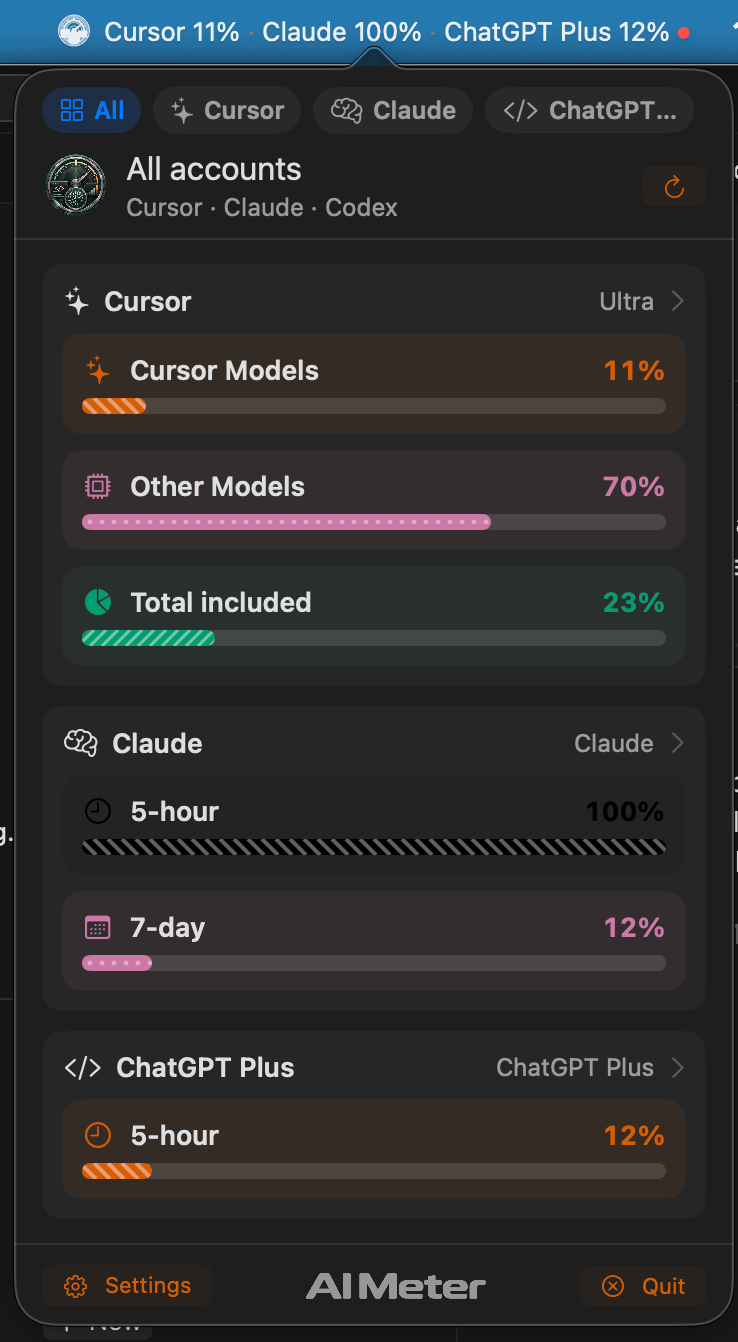
Cursor total included23%

Claude 5-hour100%

Codex 5-hour12%

SettingsAI Usage MeterQuit
Try itClick the readout in the menu bar, then switch accounts. The same snapshot reaches iPhone and Watch.

AI Meter exists because the usage I care about does not live in one place. Cursor, Claude Code, and Codex each have their own pools, windows, and spend. Opening three dashboards to answer a simple question is the problem.

What it is

A macOS menu bar extra and desktop widgets, plus companion iPhone and Apple Watch apps. The Mac app has no Dock icon by default. You sign in with the sessions already on the machine, and the menu bar keeps a live snapshot.

The public README, checked 2 Oct 2026, documents v1.0.11. Mac builds are signed, notarized, and shipped through GitHub Releases. Updates go through Sparkle, and the update archive is verified before it installs. iPhone and Watch builds stay on TestFlight. I am not describing the iOS app as a public App Store release.

There is also a Cursor and VS Code extension, installed separately, that puts Cursor usage in the editor status bar. It does not include Claude or Codex.

Why local sessions

The products already keep credentials on the Mac. AI Meter uses those sessions: a Cursor web session or the IDE’s local token, Claude Code’s keychain or credentials file, Codex’s local auth file. Tokens stay in the device Keychain. You can keep more than one account and show them active, combined, or separate.

The Watch receives a sanitized snapshot. No tokens. The app does not scrape dashboards.

The tradeoff

The Mac app is not App Sandboxed. A sandbox would block reading local Cursor, Claude, and Codex sessions. That is also why it is not on the Mac App Store. The missing sandbox is the cost of the feature, not an oversight I am papering over.

Shared logic lives in a Swift package so the Mac, iPhone, and Watch are not three copies of the same rules.

What it will not pretend

AI Meter is an independent project. It is not affiliated with, endorsed by, or sponsored by Anysphere, Anthropic, or OpenAI. Cursor, Claude, and Codex are trademarks of their owners. ChatGPT chat message caps and Team or Enterprise admin APIs are not implemented.
Mac, iPhone, and wrist

Real screenshots, not mockups
The AI Meter popover on the All tab, with Cursor, Claude, and ChatGPT Plus pools and the menu bar readout above.
Fig. 01The Mac popover. Every account in one view, with the readout in the menu bar.
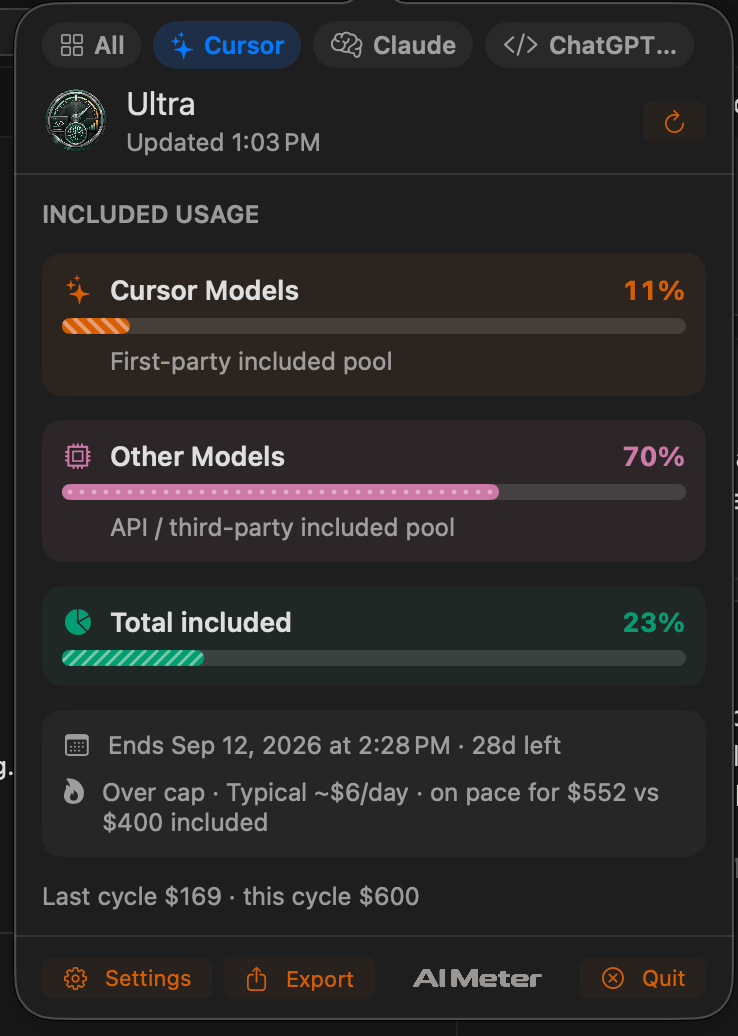
The AI Meter popover on the Cursor tab, with included usage, period end, and spend pace.
Fig. 02One Cursor account. Included pools, when the period ends, and the pace of spend.
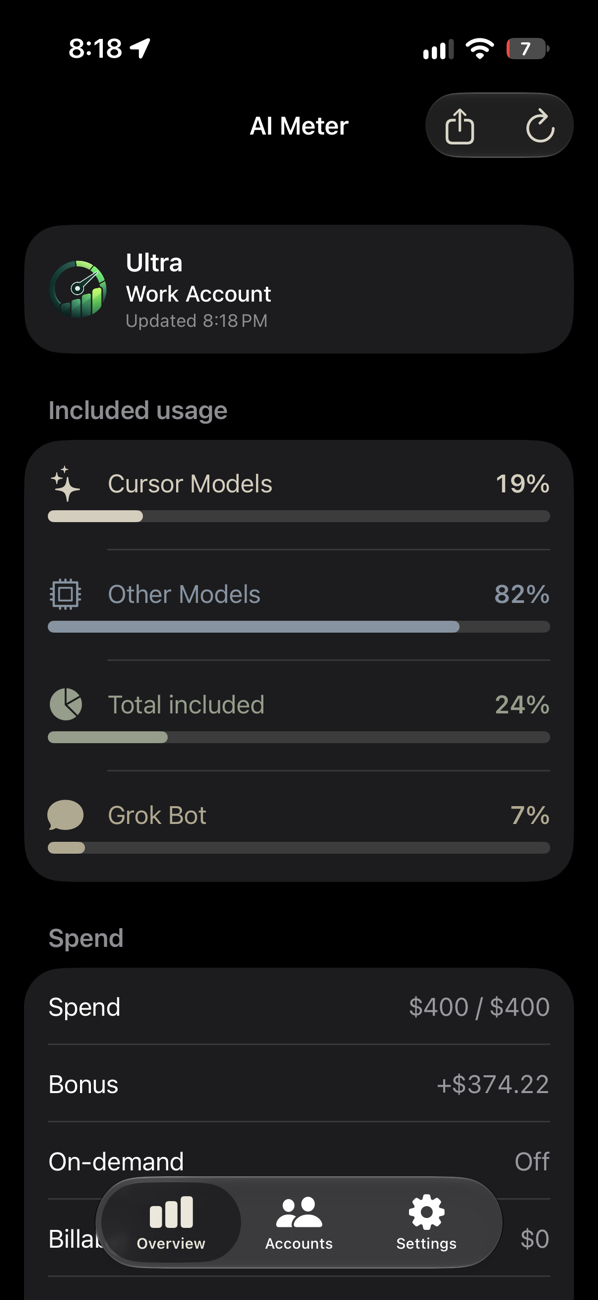
AI Meter on iPhone showing a Cursor Ultra account with included usage bars and spend.
Fig. 03The iPhone overview. Same numbers as the Mac, read from a snapshot.
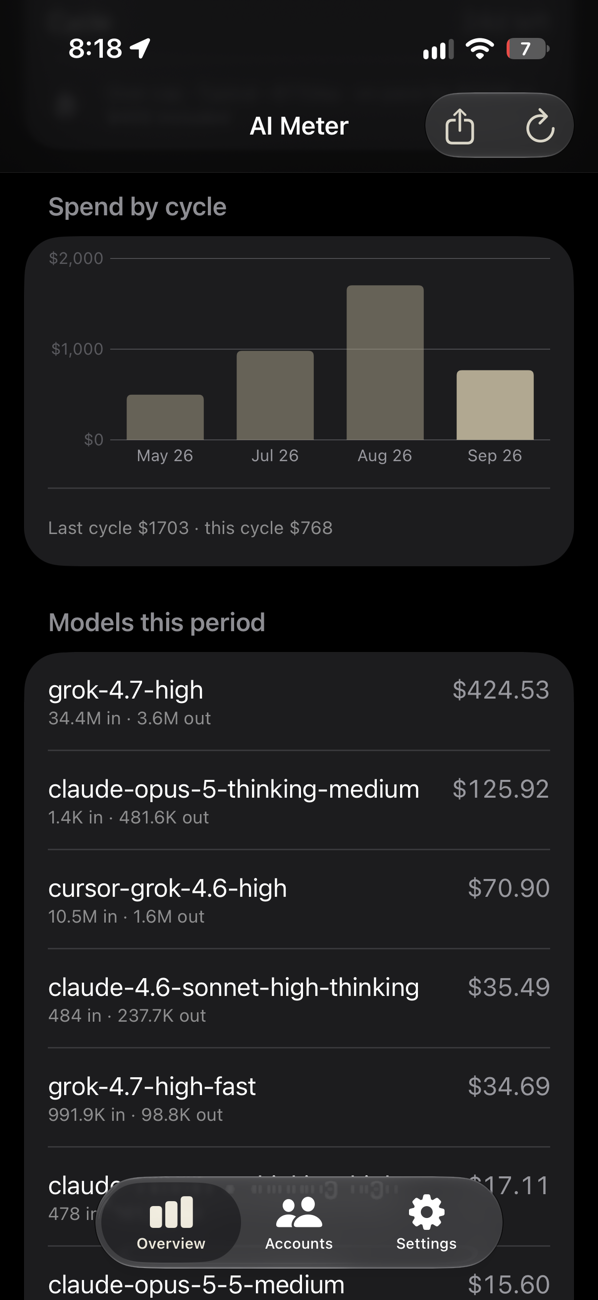
AI Meter on iPhone showing spend by billing cycle as a bar chart, and cost per model this period.
Fig. 04Spend by cycle, and which models it went to.
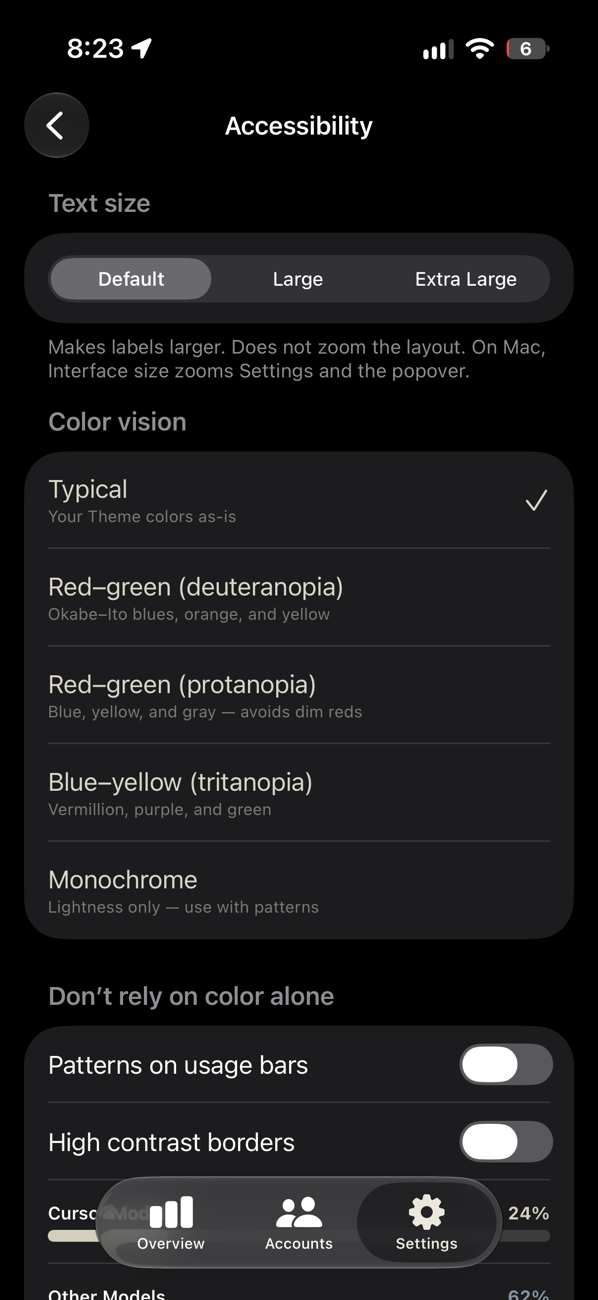
AI Meter accessibility settings on iPhone with color-vision palettes and pattern options.
Fig. 05Color-vision palettes and patterns, so the bars do not rely on color alone.
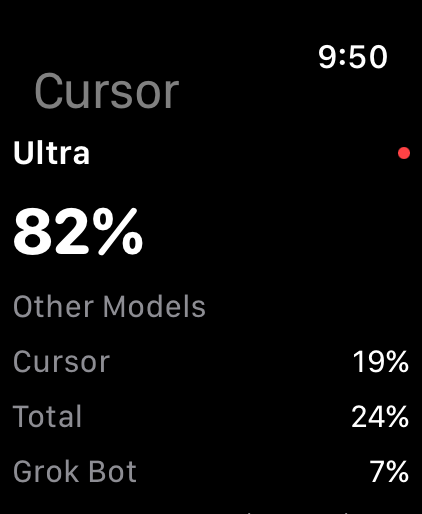
AI Meter on Apple Watch showing Cursor Ultra at 82 percent.
Fig. 06The Watch gets a sanitized snapshot. No tokens.

I still get excited about a good problem.

If you're building something thoughtful, working through a tricky engineering challenge, or trying one of my tools, I'd enjoy hearing about it.