1. Work
  2. Case study 02

CursorStack

macOS 14+ · Apple siliconShipping

All those Cursor windows, one manageable workspace. A tab strip over the real windows, rather than another editor.

Status
Signed and notarized Mac builds on GitHub Releases. Apple silicon, macOS 14 or newer.
For
People who keep several Cursor projects open and want to move between them without hunting windows.
Choice
macOS Accessibility moves, resizes, and focuses the original Cursor windows. CursorStack does not embed Cursor, read source, or upload anything.
Links
Source cursorstack.app

One strip. Every project.

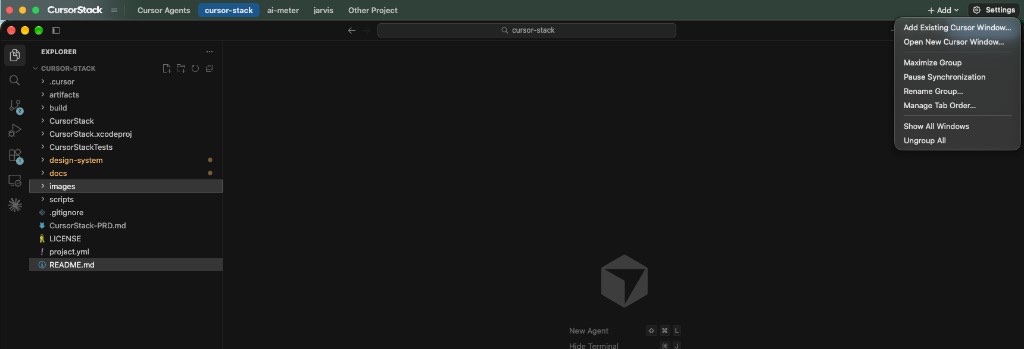
CursorStack lines up your Cursor windows and puts a tab strip on top. An amber mark means Cursor’s agent is working, a spark means Claude Code is running, and a solid dot means a chat is waiting on you.

Try it: click a tab with an amber dot.

Put the strip on any edge.

Top is the default, so Cursor's own search field stays clear. Move it to the bottom or down one side in Settings.

webbilling-apiios-app infra

Cursor will open a window per project and then leave you to live with that. CursorStack is the missing workspace layer. It groups those windows under a tab strip.

What it refuses to be

It does not embed Cursor, and it does not modify Cursor. The windows on screen are the real ones. Closing CursorStack leaves them open. Clicking another app hides the strip the way a normal window would.

The strip sits above Cursor’s title bar by default, so Cursor’s own search field still works. Settings can move it to the bottom, left, or right.

Why Accessibility

Finding, moving, resizing, and focusing another app’s windows means the Accessibility API. A sandboxed app cannot control windows owned by another process, so CursorStack is not App Sandboxed. Releases still use Hardened Runtime, Developer ID signing, and notarization.

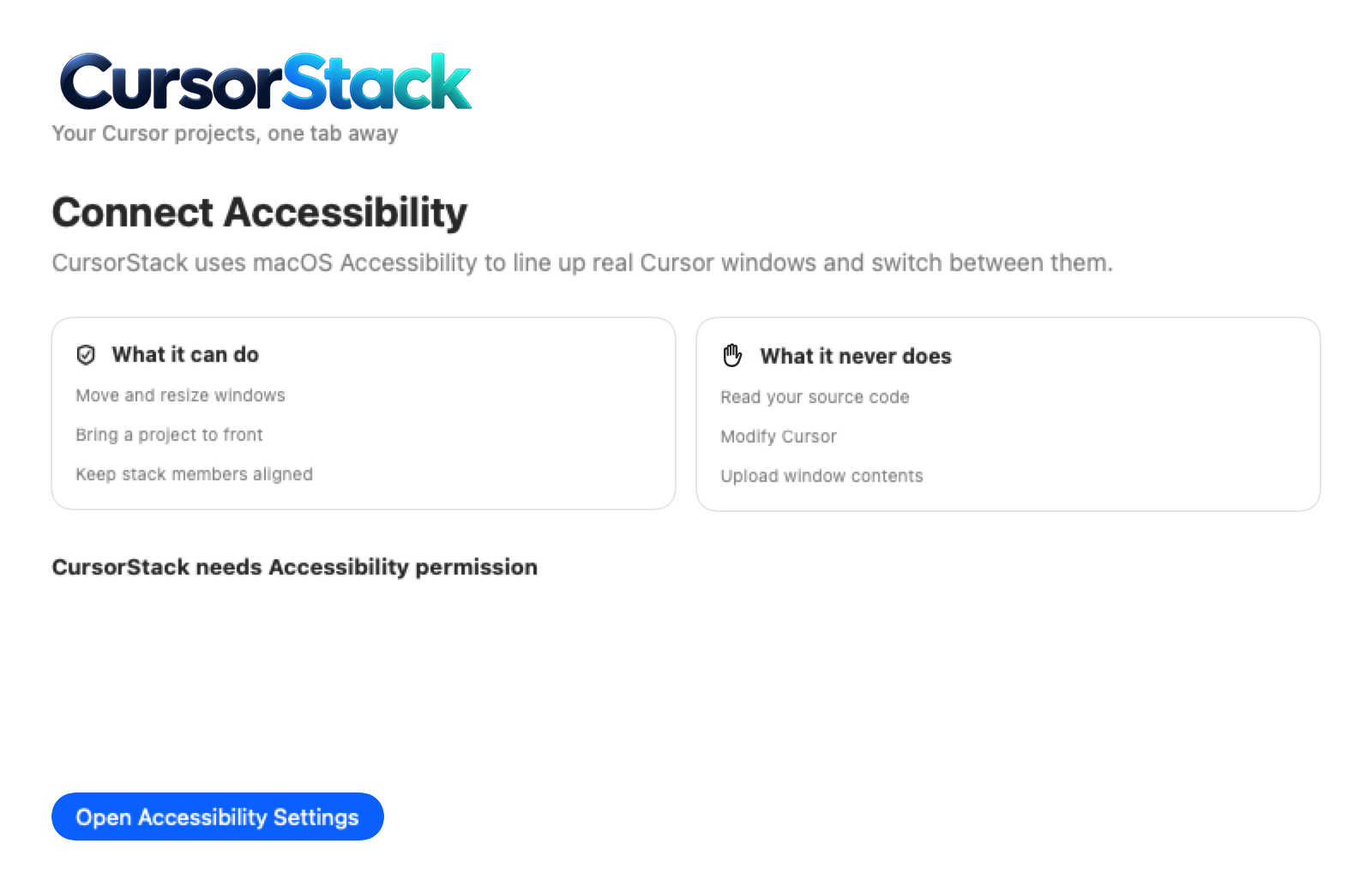
That permission is the tradeoff. The app asks for it up front and says what it will not do: read source, modify Cursor, or upload window contents. Tab marks come from local status, whether a Cursor chat or a Claude Code session is running, finished, or waiting. Not from the message text.

There is no account and no backend. The only network request is Sparkle checking the public GitHub release feed. Groups persist on disk under Application Support. Global shortcuts switch tabs and can be changed. The public README, checked 2 Oct 2026, points at the 1.0.16 release.

A small lesson

The dashed tab was the detail that kept the model honest. A saved window that Cursor has not reopened yet should not pretend to be a live project. It asks you to reconnect. Removing it is explicit. I would rather show the gap than invent a window that is not there.

CursorStack is an independent project. It is not affiliated with, endorsed by, or sponsored by Anysphere. Cursor is a trademark of its owner.
From the public repository

Real screenshots, not mockups
CursorStack first-run window explaining what Accessibility lets it do and what it never does.
Fig. 01First run. What the Accessibility permission is for, and what the app will never do.
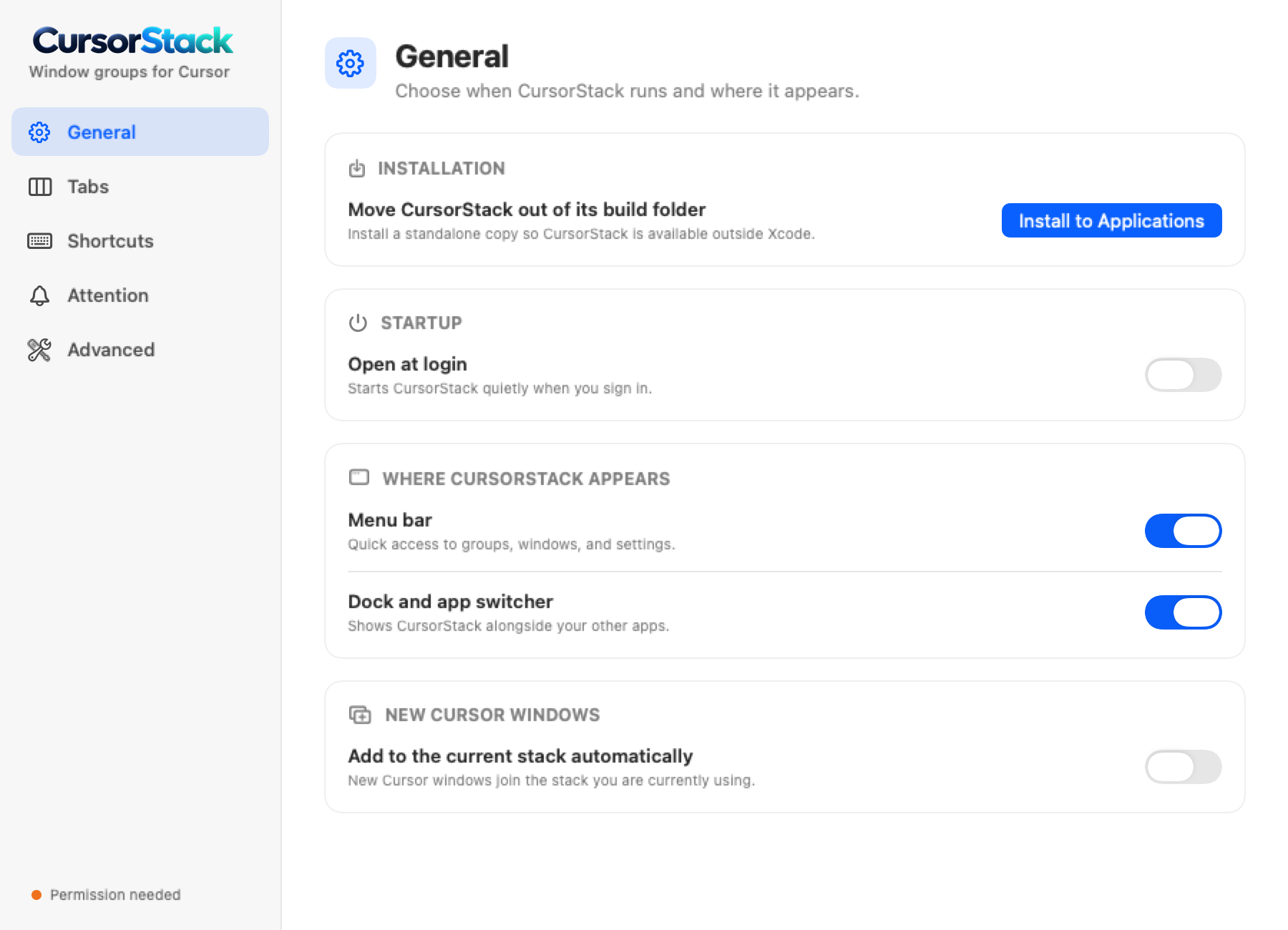
CursorStack General settings window.
Fig. 02Settings. Open at login, whether it shows in the menu bar and Dock, and whether new Cursor windows join the stack.
The CursorStack tab strip on a real Cursor window, with the Add menu open.
Fig. 03The strip on a real Cursor window. Add is how another project joins the stack.
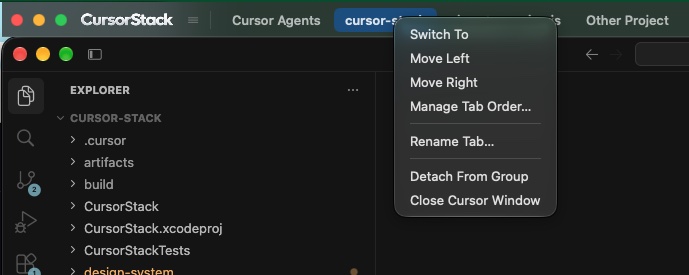
Right-click menu on a CursorStack tab.
Fig. 04Right-click a tab to move it, rename it, or pull it out.
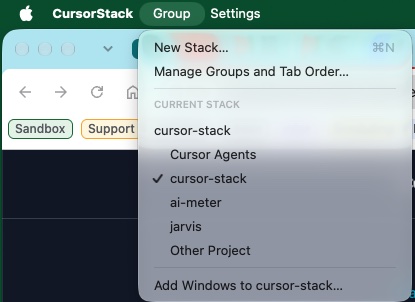
CursorStack group menu listing projects.
Fig. 05The Group menu lists the stack you are in.

I still get excited about a good problem.

If you're building something thoughtful, working through a tricky engineering challenge, or trying one of my tools, I'd enjoy hearing about it.